
How to Move from Cloudways to ScalaHosting:
Complete Migration Guide (2026)
Cloudways was acquired by DigitalOcean in 2022 — and prices have risen ever since. This guide shows you exactly how to move from Cloudways to ScalaHosting in 7 clear steps, with zero downtime, free migration support, and a hosting stack that’s faster, cheaper, and independently owned.
01 Why People Are Leaving Cloudways in 2026
If you’ve been asking how to move from Cloudways to ScalaHosting, you’re not alone. Thousands of site owners are making the switch in 2026 — and the reasons come down to one thing: Cloudways is no longer the independent, scrappy platform it once was.
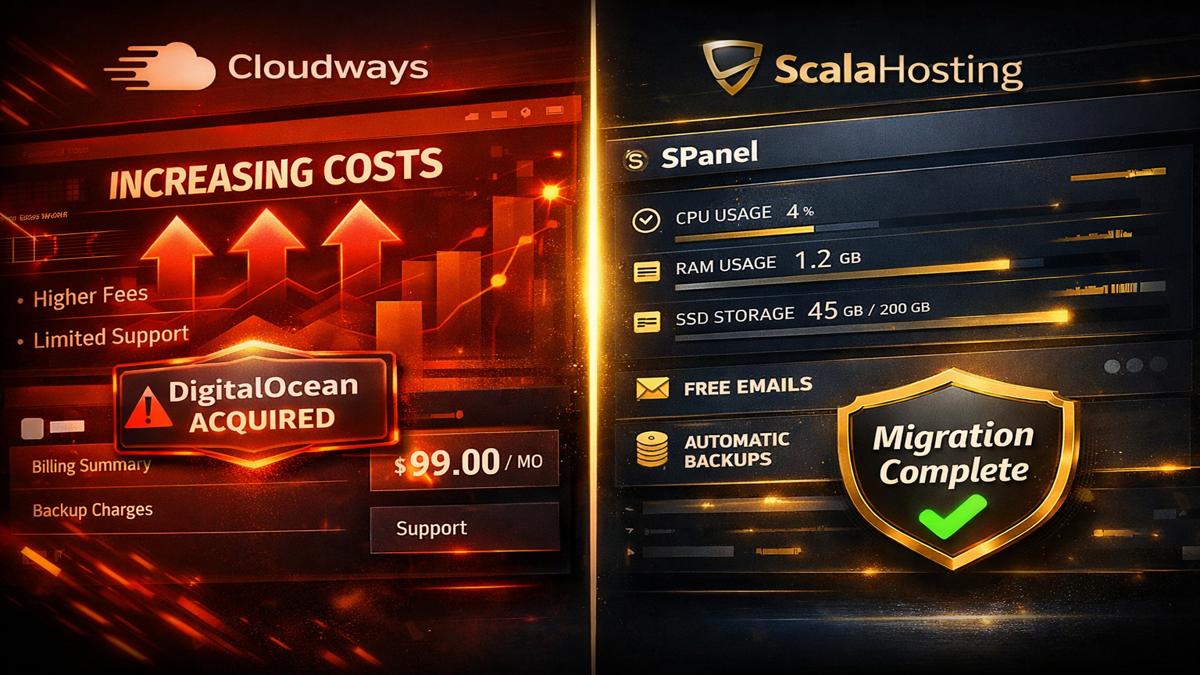
DigitalOcean acquired Cloudways in August 2022 for $350 million. Since then, users have reported rising prices, AI-based chat replacing human support, billing issues, and the removal of some third-party cloud providers. The platform that built its reputation on flexibility is now quietly steering users toward DigitalOcean’s own infrastructure at a marked-up premium.
- Price increases since DigitalOcean acquisition — markups of ~220% over base cloud provider rates
- No email hosting included — you must pay separately for Rackspace or Google Workspace
- Backup storage costs extra — $0.033/GB/month adds up fast
- DNS hosting charged separately — $0.50/domain/month via third-party
- Support quality complaints rising — AI chat replacing human agents
- No full root access on standard plans
- Storage scaling is permanent — you cannot scale back down
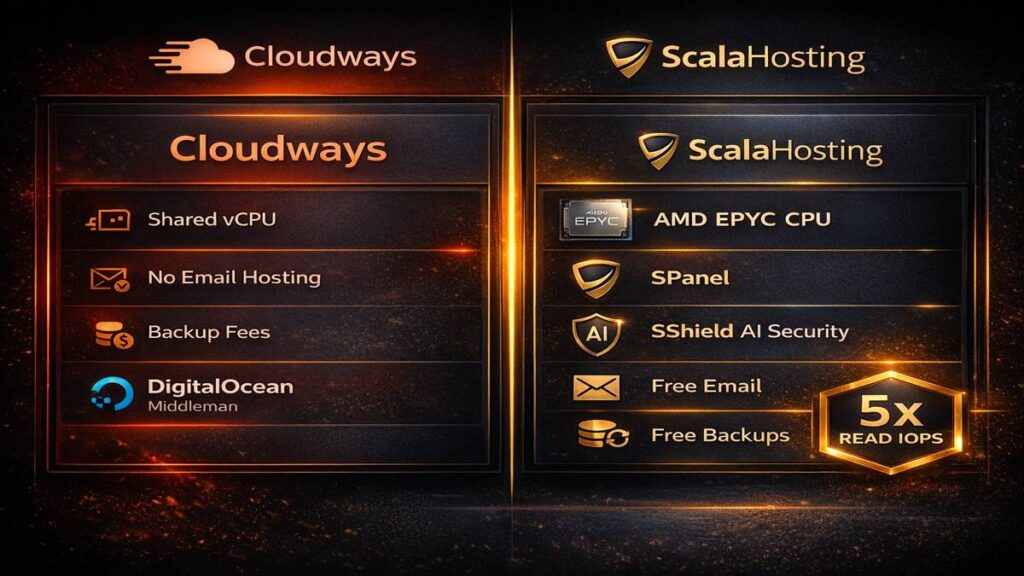
Compare that to ScalaHosting — independently owned since 2007, never acquired, with email, backups, DNS, and SShield AI security included on every plan at no extra charge. The value gap in 2026 is significant.
02 Cloudways vs ScalaHosting: Full Feature Comparison
Before you learn how to move from Cloudways to ScalaHosting, it helps to understand exactly what you’re gaining. Here’s a head-to-head comparison across the most important hosting features.
| Feature | Cloudways | ScalaHosting |
|---|---|---|
| Ownership | DigitalOcean (acquired 2022) | Independent (since 2007) |
| Starting Price (Cloud VPS) | ~$14/mo (DO basic) | $29.95/mo (Entry Cloud, managed) |
| Control Panel | Custom dashboard (no cPanel/WHM) | SPanel (free cPanel alternative) |
| Email Hosting | ❌ Not included (extra cost) | ✅ Included free |
| Backups | $0.033/GB/month extra | ✅ Free daily backups |
| DNS Hosting | $0.50/domain/month | ✅ Included free |
| Security | Basic firewall | SShield AI (blocks 99.998% attacks) |
| CPU Hardware | Shared vCPUs (DO infrastructure) | AMD EPYC 9474F, DDR5, PCIe 5.0 NVMe |
| Read IOPS | ~30,000 | ~162,000 (5× faster) |
| CPU Performance | ~1,585 events/sec | ~5,028 events/sec (3× faster) |
| Root Access | Limited / not standard | ✅ Full root access |
| Support Response | AI chat (inconsistent post-acquisition) | 30-sec live chat, real humans, 24/7 |
| Free Migration | ⚠ First site only, not always free | ✅ Free, handled by specialists |
| Trustpilot Rating | 4.6/5 | 4.8/5 |
ScalaHosting delivers 5× storage performance, 3× more CPU power, free email, free backups, and free DNS — all without the middleman markup that Cloudways layers on top of DigitalOcean’s base infrastructure.
03 Before You Migrate: Pre-Flight Checklist
Knowing how to move from Cloudways to ScalaHosting starts with preparation. Complete these steps before touching anything on either server — this prevents data loss and downtime.
In your Cloudways dashboard, go to Application → Backup and Restore → Take Backup Now. Download the archive locally. This includes your files, database, and email configuration.
Log all A records, CNAME records, MX records, and any SPF/DKIM entries. You’ll need to recreate these exactly in SPanel after migration. Screenshot them or export them from your domain registrar.
Make a list of every site, app, and WordPress install on your Cloudways server. Include database names, PHP versions, and any custom server configurations. This becomes your migration checklist.
Cloudways uses pay-as-you-go billing. Cancel or pause your server after migration is confirmed — not before. Keep it running until your DNS has fully propagated on ScalaHosting (up to 72 hours).
04 How to Move from Cloudways to ScalaHosting: 7-Step Guide
Here is the complete, step-by-step process to move from Cloudways to ScalaHosting. You can do this yourself or hand it entirely to ScalaHosting’s migration team — both paths are covered below.
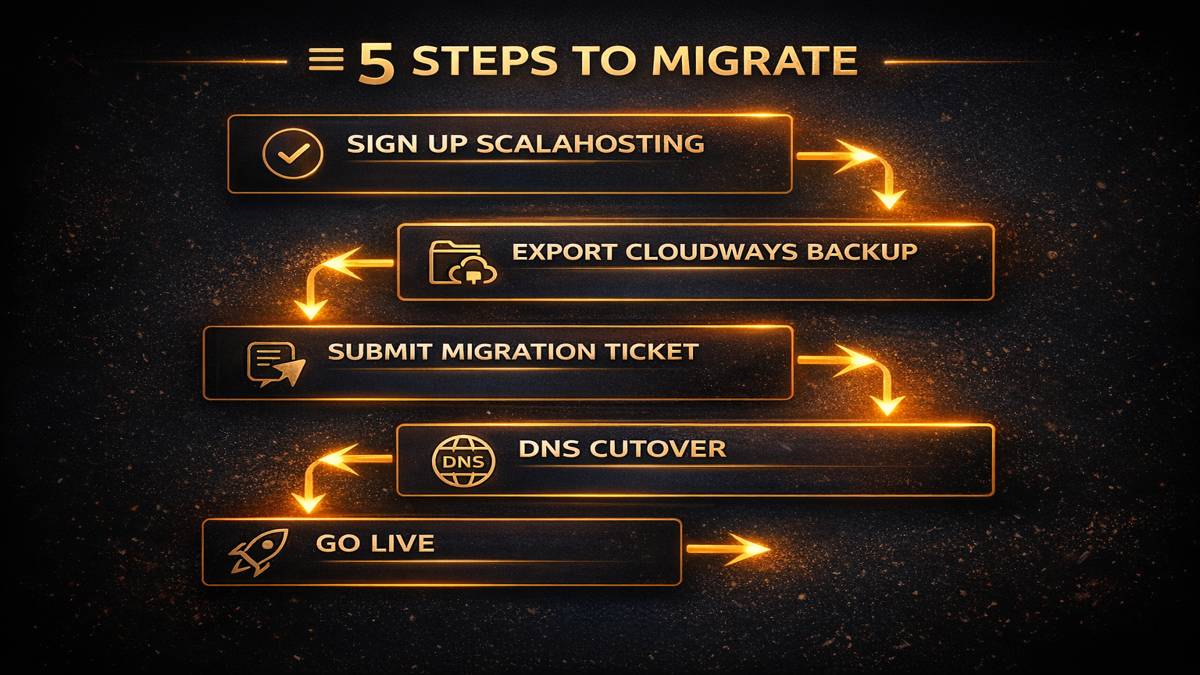
Sign Up for a ScalaHosting Cloud VPS Plan
Head to ScalaHosting’s Cloud VPS plans and select the tier that matches your current Cloudways server resources. The Entry Cloud (2 CPU, 4GB RAM, 50GB NVMe) is the most common upgrade from Cloudways’ mid-range plans. Choose your preferred data center — US East, US West, or EU. Complete checkout and log in to SPanel.
Choose Your Migration Method
You have two options. Option A (Recommended): Let ScalaHosting’s migration team handle everything. Open a support ticket, provide your Cloudways server credentials, and they’ll copy all files, databases, and emails with zero downtime. Migration typically completes within hours (1–2 business days maximum). Option B (DIY): Use a WordPress migration plugin like All-in-One WP Migration, Duplicator, or Migrate Guru — covered in detail in Step 4 below.
Add Your Domain in SPanel
Before DNS changes, add your domain in SPanel so SSL certificates are auto-provisioned. Log into SPanel → Domains → Add Domain. Enter your domain and click Add. SPanel will automatically issue an SSL certificate via Let’s Encrypt. Do this before changing nameservers so your site is HTTPS-ready the moment DNS propagates.
Transfer Files and Database (DIY Method)
If migrating manually, install your chosen WordPress migration plugin on your Cloudways site. Export a full site package including the database. Then install WordPress fresh on ScalaHosting via SPanel’s one-click installer, install the same migration plugin, and import your backup file. For non-WordPress sites, use WHM’s Transfer Tool (fully compatible with SPanel) or SFTP/rsync to copy files directly to your new server.
rsync -avz –progress user@cloudways-server-ip:/var/www/html/ user@scalahosting-server-ip:/var/www/html/
Test Everything on the New Server
Before updating DNS, test your site using your ScalaHosting server’s temporary IP. Edit your local /etc/hosts file to point your domain to the new server IP. Browse every page, test contact forms, check your wp-admin login, run WooCommerce test orders if applicable, and verify SSL is working. Only proceed to DNS once you’re satisfied the site is 100% functional.
Update DNS and Point to ScalaHosting
Log in to your domain registrar (GoDaddy, Namecheap, Cloudflare, etc.) and update your A record to point to your new ScalaHosting server IP. Alternatively, update the nameservers to ScalaHosting’s nameservers if you’re using SPanel for DNS management. DNS propagation takes anywhere from a few minutes to 72 hours depending on your TTL settings. Keep your Cloudways server running during this window so any cached DNS requests still resolve correctly.
Cancel Cloudways and Go Live
Once DNS has fully propagated and you’ve confirmed your site is live on ScalaHosting, cancel your Cloudways server. Check your billing date and time it to avoid being charged for a new billing cycle. Verify your email is now routing through SPanel, SShield AI security is active, and your daily backup schedule is configured. Congratulations — migration complete.
05 SPanel vs Cloudways Dashboard: What Changes After You Move
One of the biggest concerns when you move from Cloudways to ScalaHosting is the control panel. Cloudways uses a proprietary custom dashboard. ScalaHosting uses SPanel — a fully-featured cPanel alternative that’s leaner, faster, and free. Here’s what’s different.
| Function | Cloudways Dashboard | SPanel |
|---|---|---|
| WordPress Install | 1-click via application wizard | 1-click via SPanel installer |
| Email Accounts | ❌ Not available | ✅ Full email management |
| File Manager | SFTP only | Browser-based file manager + SFTP |
| Database Management | phpMyAdmin (via SSH tunnel) | phpMyAdmin built-in, direct access |
| SSL Certificates | Let’s Encrypt (manual setup) | Auto-provisioned on domain add |
| Backup Management | Paid add-on ($0.033/GB/mo) | Free daily backups, one-click restore |
| Security Scanner | Basic | SShield AI — real-time, zero config |
| Resource Usage | ~1 extra CPU core overhead | ~1 less CPU core, 8× less RAM than cPanel |
| cPanel Compatibility | ❌ Not compatible | ✅ WHM Transfer Tool compatible |
If you’re already familiar with cPanel from previous hosting, SPanel will feel immediately comfortable — the layout and terminology are nearly identical. If you’re coming from Cloudways, you’ll actually gain features you never had, especially email management, integrated backups, and one-click DNS control.
06 Which ScalaHosting Plan Should You Choose?
When you move from Cloudways to ScalaHosting, choosing the right plan depends on your current Cloudways server size. Here’s how the ScalaHosting Cloud VPS plans map to common Cloudways configurations.
| ScalaHosting Plan | CPU | RAM | NVMe Storage | Price/mo | Best For |
|---|---|---|---|---|---|
| Entry Cloud | 2 cores | 4 GB | 50 GB | $29.95 | Blogs, small business, replacing Cloudways DO $14–22/mo |
| Start Cloud | 4 cores | 8 GB | 100 GB | $49.95 | Growing sites, WooCommerce, agencies |
| Advanced Cloud | 6 cores | 16 GB | 200 GB | $69.95 | High-traffic sites, replacing Cloudways $80–99/mo plans |
In most cases, the Entry Cloud replaces a mid-tier Cloudways plan at roughly equivalent cost — but with AMD EPYC hardware instead of shared vCPUs, free email, free backups, and 5× the storage IOPS. Many users actually step down in plan price while stepping up in performance.
07 Common Migration Issues and How to Fix Them
Most migrations from Cloudways to ScalaHosting go smoothly, especially when handled by ScalaHosting’s team. But if you run into issues, here are the most common ones and their solutions.
Fix: Make sure you added your domain in SPanel before changing DNS. SSL auto-issues on domain add. If you missed this, go to SPanel → SSL/TLS → Let’s Encrypt and manually issue the certificate. It takes under 60 seconds.
Fix: Cloudways doesn’t provide email hosting — if you were using Rackspace or Google Workspace, your MX records should continue pointing to those external providers. Update your MX records in SPanel’s DNS zone editor to match your previous settings. If you’re switching to SPanel email for the first time, re-configure DKIM and SPF records.
Fix: Check your PHP version in SPanel — Cloudways may have used a different PHP version than the ScalaHosting default. Go to SPanel → PHP Manager and switch to the matching version. Also check file permissions: WordPress should have 644 for files and 755 for directories.
Fix: Your wp-config.php still points to the Cloudways database credentials. Update DB_HOST, DB_NAME, DB_USER, and DB_PASSWORD to match your new SPanel database. You can find these in SPanel → MySQL Databases.
08 After Migration: Optimise Your ScalaHosting Setup
You’ve successfully moved from Cloudways to ScalaHosting — now it’s time to unlock the full performance advantage. These post-migration steps take your new setup from good to excellent.
| Task | Where in SPanel | Why It Matters |
|---|---|---|
| Enable SShield AI Security | SPanel → Security → SShield | Blocks 99.998% of attacks automatically |
| Configure Daily Backups | SPanel → Backups → Schedule | Free — unlike Cloudways’ $0.033/GB charge |
| Install FlyingCDN | SPanel → CDN | Achieves <50ms global TTFB |
| Set Up Email Accounts | SPanel → Email → Add Account | Free — Cloudways required paid 3rd-party |
| Set PHP Version | SPanel → PHP Manager | Match your site requirements, PHP 8.1+ recommended |
| Run Speed Test | GT Metrix / Pingdom | Benchmark your new AMD EPYC performance |
| Cancel Cloudways Server | Cloudways Dashboard | Stop paying after DNS propagation confirmed |
Users who move from Cloudways to ScalaHosting consistently report faster page loads (AMD EPYC hardware vs shared vCPUs), lower monthly bills (when factoring in email, backup, and DNS extras), and better support response times. ScalaHosting’s 30-second live chat is a significant upgrade from Cloudways’ post-acquisition AI support experience.
🎁 Bonus Resources for Your Migration
| Resource | What It Helps With | Link |
|---|---|---|
| ScalaHosting Free Migration | Team handles entire transfer, 24/7 | scalahosting.com |
| All-in-One WP Migration Plugin | DIY WordPress migration export/import | wordpress.org |
| SPanel Tutorial for Beginners | Learn SPanel after migration | ai.keyforriches.com |
| ScalaHosting for N8N Self-Hosted | Set up N8N automation on your new VPS | ai.keyforriches.com |
| Free AI Tools | Tools to automate your content workflow | tools.keyforriches.com |
| GT Metrix Speed Test | Benchmark before and after migration | gtmetrix.com |
📚 Further Reading
Move from Cloudways to ScalaHosting Today
Get AMD EPYC hardware, free migration, free email, free backups, SShield AI security, and SPanel — all in one managed Cloud VPS. Independently owned since 2007.
Managed Cloud VPS from $29.95/mo · 99.99% uptime · 30-second live chat support
Looking for free AI tools to supercharge your workflow after migration?
Frequently Asked Questions: Moving from Cloudways to ScalaHosting
Q: How long does it take to move from Cloudways to ScalaHosting?
A: When ScalaHosting’s migration team handles it, the transfer typically completes within a few hours once credentials are provided. Maximum turnaround is 1–2 business days. DNS propagation adds up to 72 hours but your site remains live on Cloudways during that window.
Q: Is ScalaHosting’s free migration really free, or are there hidden conditions?
A: ScalaHosting offers 1 free migration for your first website. Additional site transfers beyond the first are available as a paid service. Email migration is also free for all clients from any platform via IMAP sync, with no restrictions on mailbox size or count. There are no hidden fees for the first migration.
Q: Will my WordPress site go down during the migration?
A: No. The migration is designed to be zero-downtime. Your site remains fully live on Cloudways while the copy is made on ScalaHosting. DNS is only updated after the new server has been fully tested, meaning there is no period where your site is inaccessible.
Q: Can I keep using Cloudflare after moving to ScalaHosting?
A: Yes. You can continue using Cloudflare for DNS and CDN alongside ScalaHosting. Alternatively, ScalaHosting offers FlyingCDN as a built-in CDN option, which delivers under 50ms global TTFB. Many users switch to FlyingCDN to avoid Cloudflare dependency, but both configurations are fully supported.
Q: What happens to my Cloudways email setup after migration?
A: Since Cloudways doesn’t provide email hosting, you were using an external provider like Rackspace or Google Workspace. After migration, your MX records continue pointing to those services — your email won’t be interrupted. Alternatively, you can switch to SPanel’s built-in email hosting, which is included free on all ScalaHosting plans.
Q: Is SPanel harder to use than the Cloudways dashboard?
A: No — most users find SPanel easier than Cloudways because it’s more familiar to standard hosting conventions. SPanel closely mirrors cPanel’s layout and terminology. You get a browser-based file manager, one-click WordPress installer, direct phpMyAdmin access, and integrated email management — all in one place without SSH tunneling.
Q: Why is ScalaHosting cheaper than Cloudways overall?
A: Cloudways operates as a middleman layer on top of DigitalOcean and other providers, charging approximately 120–220% markup over base cloud provider rates. On top of that, Cloudways charges extra for backups ($0.033/GB/month), DNS hosting ($0.50/domain/month), and doesn’t include email. ScalaHosting owns and operates its own hardware, cutting out the middleman and bundling all features at one transparent price.
Q: Will my WooCommerce store work properly on ScalaHosting?
A: Yes. ScalaHosting’s Cloud VPS is fully compatible with WooCommerce. The AMD EPYC 9474F CPU and PCIe 5.0 NVMe storage deliver significantly faster database query times than Cloudways’ shared vCPU infrastructure, which is particularly beneficial for WooCommerce product catalog pages and checkout flows.
Q: What if I have multiple sites on Cloudways — can ScalaHosting handle all of them?
A: Yes. ScalaHosting’s migration team can handle multiple sites of any size, type, or number. SPanel supports unlimited domain hosting on Cloud VPS plans. Additional site migrations beyond the first are a paid service, but the team handles all data: files, databases, email, and SSL setup.
Q: Is ScalaHosting independently owned, or could it be acquired like Cloudways was?
A: ScalaHosting was founded in 2007 and is independently owned and operated. Unlike Cloudways (acquired by DigitalOcean for $350M in 2022), Rocket.net (acquired by Hosting.com), or the many brands swallowed by Newfold Digital, ScalaHosting remains privately held by its original founders and has publicly expressed no interest in selling.
Moving from Cloudways to ScalaHosting in 2026 gives you faster AMD EPYC hardware, free email, free backups, free DNS, SShield AI security, and a control panel that actually includes everything — all without DigitalOcean’s middleman markup. ScalaHosting’s team handles the migration free of charge, with zero downtime guaranteed.
The question of how to move from Cloudways to ScalaHosting has a simple answer: sign up, submit a migration ticket, and let the team handle it. The 7-step guide above gives you full visibility into every stage, whether you choose the DIY path or the managed migration route.
ScalaHosting has been independently owned since 2007 — long before the era of PE acquisitions and markups that have changed Cloudways. If you want a hosting provider that won’t be sold next quarter or raise prices because a public company needs to hit Q3 targets, this is the move.
Ready? Start your free migration at ScalaHosting →
ai.keyforriches.com | ScalaHosting Series #3 of 20 | Last Updated: April 2026 | ScalaHosting →
how to move from cloudways to scalahosting, cloudways to scalahosting migration, scalahosting migration guide, cloudways alternative 2026, spanel migration, scalahosting vs cloudways, managed vps migration, wordpress migration guide, scalahosting 2026, cloudways price increase