


ScalaHosting Series — Article #2 of 20
SPanel Tutorial for Beginners 2026:
7 Proven Steps to Master ScalaHosting
This SPanel tutorial for beginners 2026 is your complete step-by-step guide to ScalaHosting’s free control panel. In 7 proven steps you will go from a blank server to a fully running, secured, and optimised WordPress website — no command line, no cPanel licence fees, no prior server experience needed.
📅 Updated April 2026
⏱️ 14 min read
📌 Article #2 of 20
01 SPanel Tutorial for Beginners 2026 — What Is SPanel and Why Does It Matter?
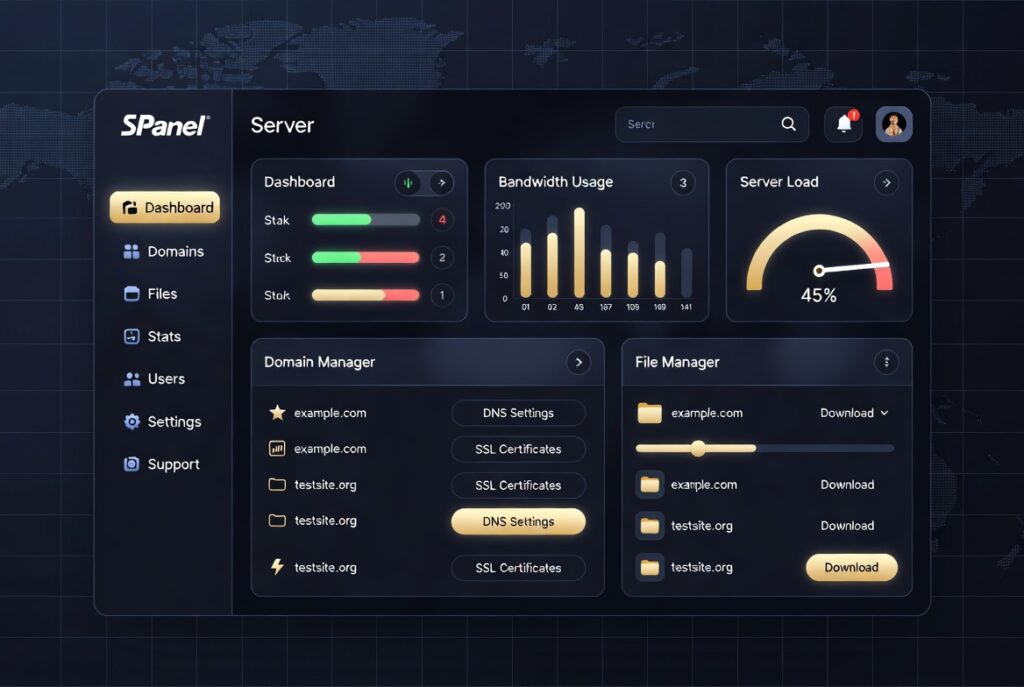
Welcome to this 2026 SPanel tutorial for beginners. If you just signed up with ScalaHosting and opened your control panel for the first time, this guide covers every step you need. SPanel is ScalaHosting’s proprietary hosting control panel — built entirely in-house, launched in 2018, and included completely free on every managed Cloud VPS plan. This beginner-friendly 2026 SPanel tutorial will take you from a blank server to a fully live, secure WordPress website without touching a single command line.
Unlike cPanel — which charges hosting providers $15–$45 per month in per-account licenses (a cost passed directly to you) — SPanel costs nothing extra. That is exactly why ScalaHosting’s managed Cloud VPS plans start at just $29.95/month, well below the cost of cPanel-powered VPS hosting. ScalaHosting was founded in Dallas, Texas, in 2007 and remains fully independently owned — not acquired by Newfold Digital or DigitalOcean like so many of its competitors.
Every beginner starting this SPanel tutorial for beginners should understand SPanel’s two-level structure:
- Admin Interface — manages your entire VPS: user accounts, server health monitoring, and global security settings.
- User Interface — manages individual websites: domains, email, databases, files, SSL certificates, WordPress installs.
For most beginners following this SPanel tutorial for beginners 2026, the User Interface is where you will spend 95% of your time. It is clean, point-and-click, and requires no server expertise whatsoever.
SPanel gives complete beginners the full power of a VPS without touching a command line. Everything from installing WordPress to activating SSL certificates is fully graphical and point-and-click.
02 SPanel vs cPanel — Numbers Every Beginner Must Know Before Choosing a Host in 2026
Before the 7 steps of this SPanel tutorial for beginners 2026, it is worth understanding why SPanel beats cPanel on every metric that matters to a new website owner. The differences are not cosmetic — they directly affect your site speed, server security, and monthly bill.
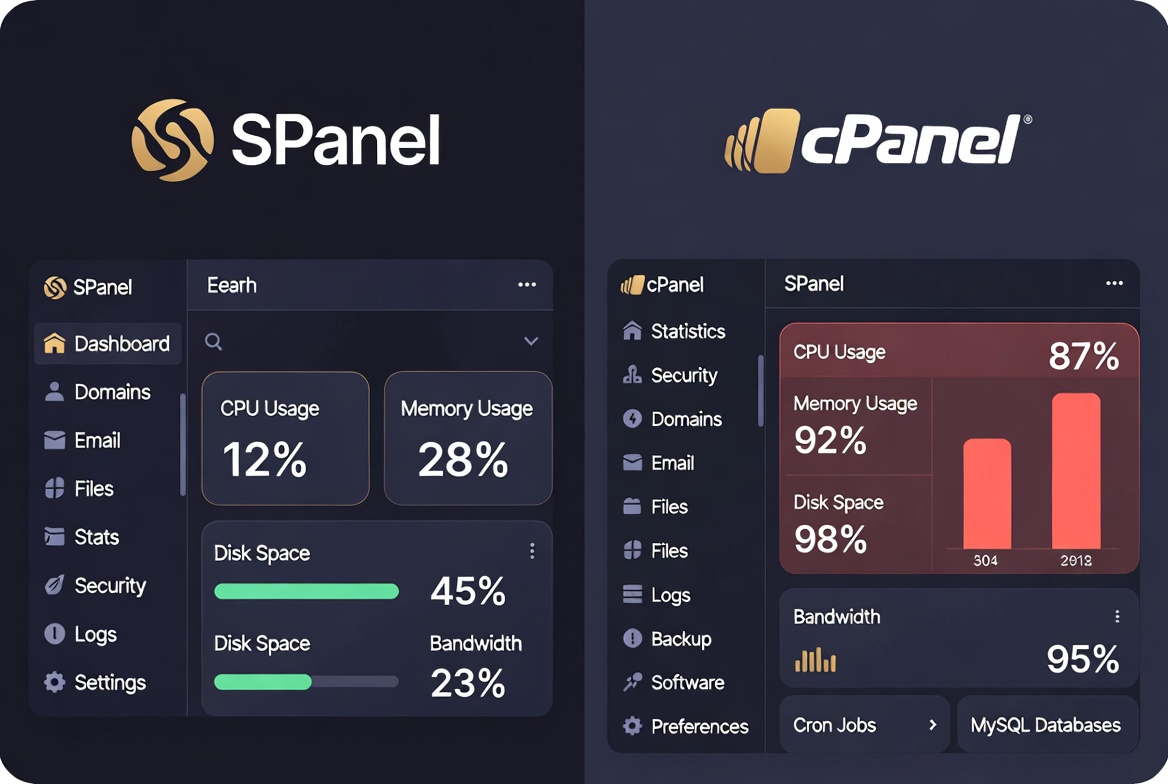
Since cPanel’s 2019 per-account pricing change, hosting companies have passed the cost increase directly to customers. Following this 2026 SPanel tutorial for beginners on ScalaHosting means you permanently eliminate the hidden $15–$45/month panel license tax.
03 SPanel Tutorial for Beginners Step 1 — Logging In and First Security Setup
Step 1 of this SPanel tutorial for beginners 2026: logging into SPanel and locking it down. After ScalaHosting provisions your server (usually within minutes of purchase), you receive a welcome email with your server IP and login credentials. Your SPanel login URL will be one of these:
— or, once DNS is pointed —
https://yourdomain.com/spanel
Open Chrome or Firefox and navigate to your SPanel URL. Enter the username and password from your ScalaHosting welcome email to reach the Admin dashboard.
Go to Server Settings → Two-Factor Authentication and enable 2FA right now. Without 2FA, a single leaked password gives an attacker full admin control of your server and every website on it.
The SPanel Admin home page shows live CPU, RAM, and disk usage, as well as all hosted accounts. Use the left-hand menu or search bar to find any feature instantly.
04 Step 2 of the SPanel Tutorial — Add Your Domain and Point DNS
Step 2 in this spanel tutorial for beginners 2026: connecting your domain name. This is a two-part process — add the domain inside SPanel’s User Interface, then update your domain registrar’s nameservers to point to ScalaHosting.
SPanel User Interface → Domains → Add Domain. Enter your domain (e.g., yourdomain.com) and click Add. SPanel automatically creates your web root folder. Done in 30 seconds.
Log in to GoDaddy, Namecheap, or your registrar and update the nameservers to ScalaHosting’s NS1 and NS2 values listed in your welcome email. DNS propagation takes 15 minutes to 48 hours.
Once your domain points to ScalaHosting, SPanel checks every 15 minutes and automatically installs a free Let’s Encrypt SSL certificate. Your site will be HTTPS with zero manual work from you.
05 Step 3 — Install WordPress in 60 Seconds Using the SWordPress Manager
Step 3 is where this sPanel tutorial for beginners 2026 delivers its biggest payoff. Instead of manually downloading WordPress, creating a database, and editing config files, SPanel’s built-in SWordPress Manager handles a complete WordPress install in under 60 seconds. No technical knowledge required at any point.
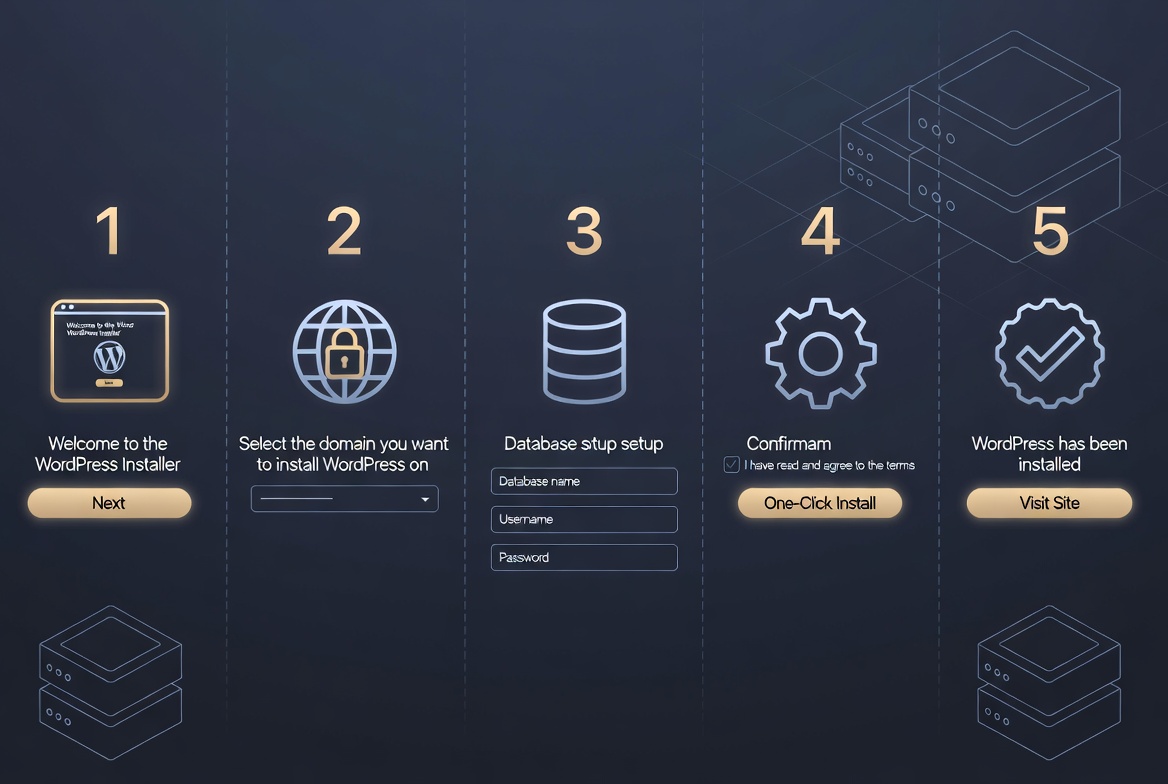
From the SPanel User Interface, click SWordPress Manager. Your existing installs are listed here — empty on a fresh server.
Click Install WordPress. Choose your domain from the dropdown. Set your site name, admin username, and a strong password. SPanel creates the MySQL database automatically. The install completes in under 60 seconds.
After installation, toggle on Security Lock in the WordPress Manager next to your site. This locks all WordPress core files so that even if a hacker gains access to your server, they cannot modify a single site file. Unique to ScalaHosting — not available on Cloudways, SiteGround, or Hostinger.
Toggle on Automatic Updates in SWordPress Manager. WordPress core, themes, and plugins update automatically — patching vulnerabilities without you needing to remember to do it manually.
06 Step 4 — SPanel Email, Database & File Manager for Beginners
Every beginner completing this sPanel tutorial for beginners 2026 will regularly use three more SPanel areas: Email Accounts, MySQL Databases, and File Manager. Here is your orientation to all three.
📧 Email Accounts
SPanel User Interface → Email Accounts. Creating hello@yourdomain.com takes under 30 seconds: type a username, set a password, and click Create. SPanel auto-configures SPF and DKIM authentication records — your emails are protected from spam flags without any manual DNS work on your part.
🗄️ MySQL Databases
WordPress creates its own database automatically during the WordPress Manager installation, so most beginners following this 2026 sPanel tutorial will not need to touch this. But if you need a second database for a staging site, another CMS, or a web app — go to MySQL Databases → Create Database, name it, assign a user, set full privileges, and you are done in under 2 minutes.
📁 File Manager
SPanel’s File Manager is a fully browser-based tool — no FTP client needed. Navigate to File Manager from the dashboard. Your WordPress files live inside public_html. Use it to upload custom themes, edit configuration files, or remove broken plugins without leaving SPanel.
07 Step 5 — Activate SShield AI Security (Runs Automatically from Day One)
The biggest security advantage of following this sPanel tutorial for beginners 2026 on ScalaHosting is SShield — the AI-powered security layer active on your server from the moment it is provisioned. As a beginner, you do not configure anything. Shield monitors your sites in real time, automatically blocking 99.998% of attacks before they reach WordPress.
Unlike static firewall rules, SShield learns from attack patterns across all ScalaHosting servers globally — getting smarter over time. When a vulnerability is detected, SShield blocks it instantly and generates a detailed report so you know exactly what happened. ScalaHosting’s servers run on AMD EPYC 9474F CPUs (#31 out of 1,190 in PassMark), DDR5 RAM, and PCIe 5.0 NVMe SSDs, delivering an average page load time of 1.7 seconds (HostingCritic) and a global TTFB under 50ms with FlyingCDN.
08 Steps 6 & 7 — Backups, Resource Monitoring & Choosing Your ScalaHosting Plan
The final two steps of this spanel tutorial for beginners 2026 cover what every beginner needs before going live: verifying your automatic daily backups are active, and knowing which ScalaHosting Cloud VPS plan to start with and when to scale up.
💾 Step 6 — Verify Your Free Daily Backups
ScalaHosting includes free daily backups on all plans — 7 copies stored locally and remotely, one for each day of the week. To verify yours are running: SPanel Admin → JetBackup. All backup points are listed. Restoring a file or entire site is fully point-and-click — no technical skill needed. No other host covered in this sPanel tutorial for beginners 2026 includes this free on VPS plans.
📊 Step 7 — Monitor Resources and Know When to Scale
SPanel’s live Server Information dashboard shows your real-time CPU, RAM, and disk usage. If you are consistently above 80% of your plan’s allocation, it is time to upgrade. ScalaHosting Cloud VPS plans scale on demand — no server migration, no downtime.
ScalaHosting vs Competitors — Full 2026 Comparison
🎁 Bonuses & Resources for This SPanel Tutorial
📚 Further Reading
- AI & Tech News December 2025 — stay current with hosting and AI trends that affect your site
- The Real Cost of Backlinks in 2026 — grow your new WordPress site’s authority after setup
- ScalaHosting Official: Getting Started with SPanel — the authoritative official guide
- SPanel Review — HostAdvice Independent Analysis 2024 — detailed third-party review
Get SPanel Free With Every Managed Cloud VPS Plan
SPanel + SShield AI security + SWordPress Manager + free daily backups + 30-second live chat + AMD EPYC 9474F hardware. Founded 2007. Independently owned. 4.8/5 Trustpilot. From $29.95/month.
Start With ScalaHosting Today →
Affiliate link — we earn a commission if you purchase. Introductory rate shown.
🛠️ Free AI Tools to Grow Your WordPress Site
Once SPanel is set up and your site is live, use our free AI-powered toolkit to grow your traffic — keyword research, content tools, and more at zero cost.
Frequently Asked Questions — SPanel Tutorial for Beginners 2026
Q: What is SPanel, and who makes it?
A: SPanel is a proprietary hosting control panel developed entirely by ScalaHosting. It was built as a free, lightweight alternative to cPanel and is included at no extra cost on all ScalaHosting managed Cloud VPS plans. ScalaHosting is an independently owned company founded in 2007 and headquartered in Dallas, Texas.
Q: Is SPanel really free — are there any hidden fees?
A: Yes, SPanel is genuinely free for all ScalaHosting-managed Cloud VPS customers. There is no per-account licensing fee, unlike cPanel, which costs hosting companies $15–$45 per month. That saving is passed directly to you through lower plan pricing. There are no hidden fees related to SPanel itself.
Q: How do I log into SPanel for the first time?
A: After purchasing a ScalaHosting plan, you receive a welcome email with your server IP and login credentials. Navigate to https://[your-server-ip] :8443 or https://yourdomain.com/spanel in your browser and enter the username and password from the welcome email. Enable Two-Factor Authentication immediately after your first login for maximum security.
Q: How do I install WordPress on SPanel?
A: Open the SPanel User Interface and click SWordPress Manager. Click Install WordPress, choose your domain, set your site title and admin credentials, and click Install. SPanel creates the database automatically. The full WordPress installation completes in under 60 seconds, with no command-line or manual configuration required.
Q: What is the WordPress Security Lock, and should I enable it?
A: The Security Lock is a unique SPanel feature that locks your WordPress core files so that even if a hacker gains server access, they cannot modify or tamper with your site files. Yes, enable it immediately after installing WordPress. It is found in WordPress Manager next to each WordPress installation.
Q: What is SShield and do I need to configure it?
A: SShield is ScalaHosting’s AI-powered security system that monitors your server in real time and blocks 99.998% of attacks automatically. You do not need to configure anything — it runs silently from the moment your server is provisioned. Threats are stopped at the server level before they ever reach your WordPress site.
Q: Does SPanel include automatic SSL certificates?
A: Yes. SPanel checks all domains with pointed DNS every 15 minutes and automatically installs a free Let’s Encrypt SSL certificate. Once your domain’s nameservers point to ScalaHosting, your HTTPS certificate will be installed automatically.
Q: How does SPanel handle daily backups?
A: ScalaHosting includes free daily backups on all plans — seven copies (one per day of the week) stored locally and remotely. Access and restore backups from the JetBackup section of the SPanel Admin Interface. Restoring a file or entire site is a point-and-click process with no technical knowledge required.
Q: Is this SPanel tutorial for beginners 2026 suitable for non-technical users?
A: Yes. Every step in this spanel tutorial for beginners 2026 is designed for people with zero server experience. SPanel’s graphical interface means you never need a command line. From logging in to installing WordPress and activating SShield security — everything is point-and-click. ScalaHosting’s 24/7 live chat (30-second response) is available if you get stuck at any step.
Q: Which ScalaHosting plan should a beginner start with?
A: For most beginners launching one to three WordPress websites, the Entry Cloud plan at $29.95 per month is the ideal starting point. It includes 2 GB of DDR5 RAM, 2 AMD EPYC vCPUs, 50 GB of PCIe 5.0 NVMe SSD storage, a 99.99% uptime guarantee, free SPanel, SShield, daily backups, and a free WordPress migration. You can scale up on demand as traffic grows — no migration needed.
🔑 Key Takeaway
This SPanel tutorial for beginners 2026 has shown you that running a managed Cloud VPS does not require technical expertise when you have the right tools. The 7 proven steps are: log in and enable 2FA → add your domain → SSL installs automatically → install WordPress via SWordPress Manager → enable Security Lock → verify daily backups → monitor and scale when needed.
This SPanel tutorial for beginners 2026 proves that ScalaHosting has eliminated every barrier that made VPS hosting intimidating. SPanel is free on every plan, SShield runs silently in the background, and 24/7 live chat with a 30-second response time means help is always one click away. ScalaHosting has been independently owned since 2007 — not acquired, not VC-driven — with a 4.8/5 Trustpilot rating earned across 17+ years in the industry.
Ready to follow this SPanel tutorial for beginners 2026 on your own server? Start with the ScalaHosting Entry Cloud plan — everything covered in this guide is included from Day 1. And once your site is live, our free AI tools will help you grow your traffic faster. Also see our guide to backlink costs to build your site’s authority from launch day.
|
HR
|
Hans Rostek
AI & Hosting Specialist · ai.keyforriches.com
Hans writes about AI tools, web hosting, and online income strategies at ai.keyforriches.com. He manages the 20-article ScalaHosting affiliate series and has been testing hosting platforms since 2018. Questions? Reach him at hansrostek@gmail.com. |
ScalaHosting Series · Article #2 of 20 · Updated April 2026
spanel tutorial for beginners 2026, SPanel tutorial, ScalaHosting SPanel, SPanel vs cPanel, ScalaHosting for beginners, SShield security, SWordPress Manager, WordPress on ScalaHosting, managed cloud VPS 2026, ScalaHosting review 2026