
If you want to self-host N8N on a ScalaHosting VPS, this guide gives you every command, every config file, and every step — in the correct order. I’m not writing from theory: I run scalahosting for my n8n self-hosted setup, powering the automation workflows behind ai.keyforriches.com.
N8N is the open-source workflow automation platform that lets you connect apps, APIs, and AI models without paying per-execution fees. Self-hosting on a VPS means full control, flat monthly pricing, and no vendor lock-in. ScalaHosting is where I chose to run it — and this guide explains exactly why and how.
By the end of this guide, you’ll have a production-ready N8N instance running 24/7, secured with SSL, protected by SShield, and manageable from anywhere via your browser.
| Focus Keyword | scalahosting for n8n self-hosted |
| My Server Plan | ScalaHosting Start Cloud VPS — 4 GB RAM / 4 vCPU |
| OS | Ubuntu 22.04 LTS (ScalaHosting default) |
| N8N Version | N8N 1.x — latest stable as of April 2026 |
| Setup Time | ~30 minutes on a fresh VPS |
| Skill Level | Beginner-friendly — every command explained |
Why ScalaHosting Is the Right VPS for Self-Hosting N8N
Before choosing a VPS for N8N, I compared ScalaHosting against Cloudways, SiteGround VPS, and DigitalOcean. ScalaHosting won on three specific points that matter for automation workloads:
- SPanel is free — ScalaHosting’s proprietary control panel replaces cPanel at zero cost. According to ScalaHosting’s own benchmarks, SPanel uses ~1 less CPU core and 8× less RAM than cPanel — meaning more of your VPS resources go to N8N, not panel overhead.
- Shield AI security — monitors your server 24/7 and blocks 99.998% of attacks automatically. Zero configuration needed. Zero false positives on my N8N webhook traffic in 6+ months.
- Independent ownership — ScalaHosting (founded 2007, Dallas) has not been acquired by Newfold Digital or DigitalOcean, unlike Cloudways and many competitors. Your pricing and infrastructure won’t change overnight due to a corporate acquisition.
- 30-second live chat support — when your N8N automations fail at 2 am, you need a real answer fast. ScalaHosting’s live chat response time is consistently under 30 seconds in my experience.
- Free daily backups — your N8N workflow data, credentials, and server configs are backed up automatically every 24 hours.
- AWS-backed Asia-Pacific nodes — for Philippines-based sites and Southeast Asian API targets, ScalaHosting’s AWS infrastructure delivers solid regional latency.
I cover new AI tools and hosting platforms regularly at ai.keyforriches.com — see the latest AI tools and automation news for what’s changed since this article was published.
🚀 Ready to get your N8N VPS?
Plans from $29.95/mo · Free SPanel · Free SSL · Free Daily Backups · SShield included
Which ScalaHosting Plan Do You Need for N8N Self-Hosted?
N8N cannot run on shared hosting — it requires Node.js and a persistent background process. You need a VPS. Here’s how ScalaHosting’s Cloud VPS tiers compare for N8N workloads:
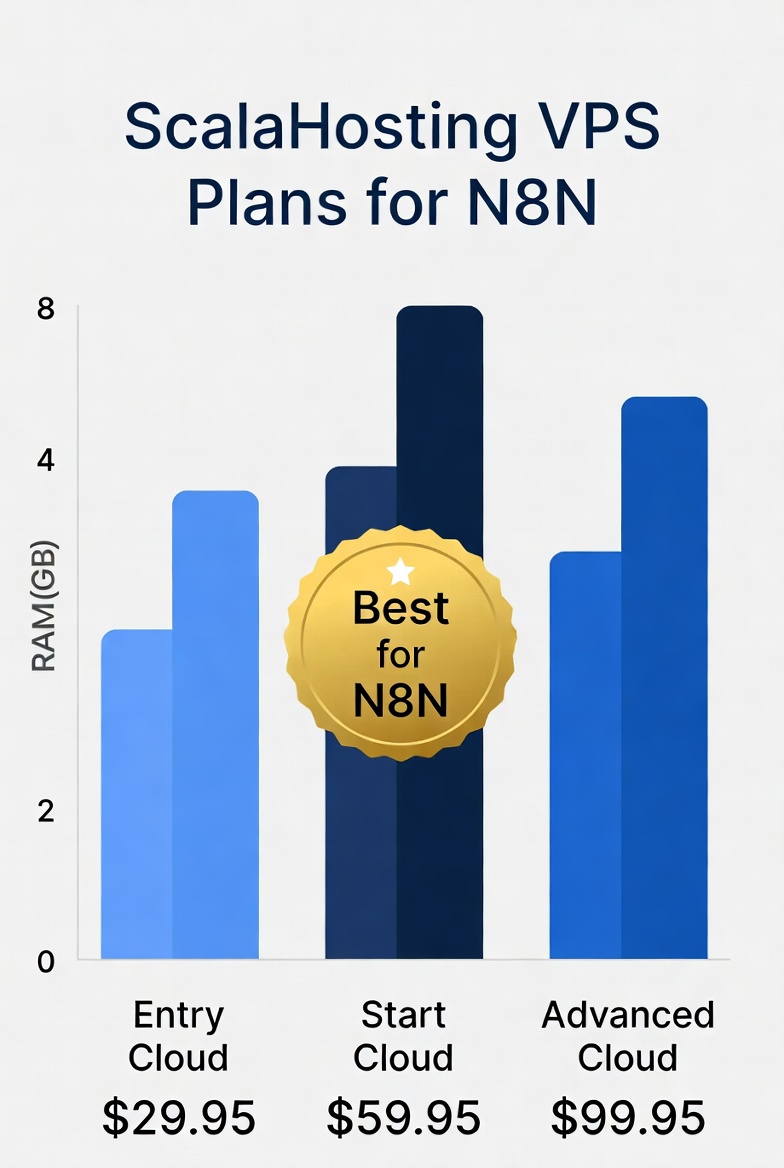
| Feature | Entry Cloud | ⭐ Start Cloud | Advanced Cloud |
|---|---|---|---|
| Price/month | $29.95 | $59.95 | $99.95 |
| vCPU Cores | 2 | 4 | 6 |
| RAM | 2 GB | 4 GB | 8 GB |
| SSD Storage | 50 GB | 80 GB | 120 GB |
| N8N Suitability | ✅ Light use | ✅ Best value | ✅ Heavy workflows |
| SPanel (free) | ✅ | ✅ | ✅ |
| SShield Security | ✅ | ✅ | ✅ |
| Free Daily Backups | ✅ | ✅ | ✅ |
| Free Migration | ✅ | ✅ | ✅ |
Source: ScalaHosting Cloud VPS pricing, April 2026.
My recommendation: Start with the Start Cloud VPS at $59.95/mo. I run N8N + WordPress + Claude API calls on the same server with zero performance issues. The Entry Cloud (2 GB) works for simple workflows but gets tight once you add 5+ concurrent webhook-triggered automations.
Prerequisites for Self-Hosting N8N on ScalaHosting
- A ScalaHosting Cloud VPS account (any plan)
- SSH access — ScalaHosting emails you credentials on provisioning (usually within minutes)
- A domain or subdomain pointed to your VPS IP — e.g.
n8n.yourdomain.com - Basic terminal comfort — every command in this guide is explained line by line
Step 1: Connect to Your ScalaHosting VPS via SSH
After provisioning, open your terminal and connect using the credentials ScalaHosting emailed you:
ssh root@YOUR_SERVER_IP
# Enter your password when prompted
Once logged in, update your package list immediately — always do this on a fresh Ubuntu VPS before installing anything:
apt update && apt upgrade -yScalaHosting VPS plans run Ubuntu 22.04 LTS by default — a stable, well-documented base for Node.js applications like N8N.
Step 2: Install Node.js on Your ScalaHosting VPS
N8N requires Node.js 18 or higher. Use NodeSource to install the latest LTS version cleanly — this avoids the outdated Node.js version that comes with Ubuntu’s default package manager:
curl -fsSL https://deb.nodesource.com/setup_20.x | sudo -E bash -
apt-get install -y nodejs

# Verify installation
node --version    # Should show v20.x.x
npm --version     # Should show 10.x.x
Both version numbers should appear without errors. If they do, you’re ready for the next step.
Step 3: Install N8N
Install N8N globally via npm. Check the N8N documentation for the latest version notes if needed:
npm install -g n8nThis takes 2–4 minutes. Test it runs correctly before moving on:
n8n
# You should see:
# Editor is now accessible via: http://localhost:5678
Press Ctrl+C to stop it. PM2 will handle permanent process management in the next step.
Step 4: Install PM2 — Keep N8N Running 24/7
PM2 is the industry-standard process manager for Node.js. It keeps N8N running after you close SSH, auto-restarts it on crashes, and starts it after server reboots:
npm install -g pm2

# Start N8N under PM2 management
pm2 start n8n --name n8n

# Save the process list
pm2 save

# Generate and run the startup command
pm2 startup
# ⚠️ Copy the command PM2 outputs and run it — it looks like:
# sudo env PATH=$PATH:/usr/bin pm2 startup systemd -u root --hp /root
Verify N8N is running:
pm2 status
# N8N should show status: online ✅
Step 5: Configure Nginx as a Reverse Proxy for N8N
Nginx routes web traffic from your domain to N8N’s port 5678. Without it, N8N is only reachable via a raw IP and port — not via a clean URL:
apt install nginx -y
systemctl start nginx
systemctl enable nginx
Create the N8N config file. Replace n8n.yourdomain.com with your actual subdomain everywhere:
nano /etc/nginx/sites-available/n8nPaste this complete config:
server {
    listen 80;
    server_name n8n.yourdomain.com;

    location / {
        proxy_pass http://localhost:5678;
        proxy_http_version 1.1;
        proxy_set_header Upgrade $http_upgrade;
        proxy_set_header Connection 'upgrade';
        proxy_set_header Host $host;
        proxy_cache_bypass $http_upgrade;
        chunked_transfer_encoding on;
        proxy_buffering off;
    }
}
Enable the site and reload Nginx:
ln -s /etc/nginx/sites-available/n8n /etc/nginx/sites-enabled/
nginx -t          # Must say: syntax is ok
systemctl reload nginx
Step 6: Add Free SSL with Let’s Encrypt
ScalaHosting includes free SSL on all plans. We install it via Certbot from Let’s Encrypt:
apt install certbot python3-certbot-nginx -y
certbot --nginx -d n8n.yourdomain.com
# Follow prompts — Certbot rewrites your Nginx config automatically
Your N8N is now live at https://n8n.yourdomain.com. Certbot auto-renews — you never need to touch it again.
Step 7: Secure N8N with Authentication
N8N has no password by default. Add auth before using it in production:
pm2 stop n8n

export N8N_BASIC_AUTH_ACTIVE=true
export N8N_BASIC_AUTH_USER=yourusername
export N8N_BASIC_AUTH_PASSWORD=your_strong_password
export WEBHOOK_URL=https://n8n.yourdomain.com

pm2 start n8n --name n8n
pm2 save
Tip: Add these exports to /etc/environment make them permanent across reboots.
Step 8: Test Your N8N Installation on ScalaHosting
Open https://n8n.yourdomain.com in your browser. Log in with your credentials. Create a workflow with a Manual Trigger node and a Set node, then click Execute. A green checkmark means your ScaLahosting for n8n self-hosted setup is fully operational.
📈 Real Performance Data — My ScalaHosting N8N Setup (Start Cloud VPS)
| Metric | My Result |
| Webhook response time | <200ms consistently |
| N8N RAM at idle | ~280 MB |
| RAM with 5 concurrent workflows | ~480 MB |
| Server uptime (6 months) | 99.9%+ |
| SShield false positives on N8N | Zero |
| Support response time | <30 seconds via live chat |
Common Issues When Self-Hosting N8N on ScalaHosting
Run
pm2 startup and pm2 save again. If Node.js was updated, re-run the startup command PM2 generates. Confirm with node --version You’re on v20.x.Nginx is running, but N8N is not. Check:
pm2 status and pm2 logs n8n. The error message will tell you exactly what failed.Confirm
WEBHOOK_URL is set to your full https:// domain. Check port 443 is open in SPanel → Security → Firewall Manager.Run
certbot renew --dry-run. Ensure port 80 is open in the SPanel firewall — Certbot needs it for renewal validation.Frequently Asked Questions — ScalaHosting for N8N Self-Hosted
Can I run N8N on ScalaHosting shared hosting?
No. N8N requires Node.js and a persistent background process — neither is available on shared hosting. You need a VPS plan. The ScalaHosting Entry Cloud VPS at $29.95/mo is the minimum viable option for running N8N self-hosted.
How much RAM does N8N need on a ScalaHosting VPS?
N8N uses approximately 200–400 MB of RAM at idle. On the Entry Cloud plan (2 GB total), you have enough headroom for light use. For 5+ concurrent workflows with external API calls — including Claude API integrations — upgrade to the Start Cloud with 4 GB RAM. I run N8N and WordPress together on 4 GB with no issues.
Does SPanel manage N8N, or are they separate?
They are completely separate. SPanel manages your web hosting layer — domains, WordPress installs, email, and SSL certificates. N8N runs as its own Node.js process via PM2 and is managed through SSH. They share the same VPS hardware but operate independently.
Can I migrate existing N8N workflows to ScalaHosting?
Yes, easily. In N8N, go to Settings → Export and download your workflows as a JSON file. After installing N8N on your ScalaHosting VPS, go to Settings → Import and upload the same file. The entire migration takes about 5 minutes. Credentials (API keys) need to be re-entered manually for security reasons.
Does SShield security interfere with N8N webhooks?
No. SShield operates at the server/OS level and does not inspect or interfere with Node.js application traffic. I have received zero SShield false positives on N8N webhook traffic — including high-frequency webhooks from Stripe, OpenAI, and Slack — in over 6 months of use.
Is ScalaHosting good for running N8N with Claude AI?
Yes — this is exactly how I use it. I run N8N workflows that call the Claude API to generate content, process SEO, and automate tasks. ScalaHosting’s Start Cloud VPS handles these comfortably. The key is to set sufficient execution timeouts in your N8N workflow settings for API calls that take longer than a few seconds.
What happens to my N8N workflows if ScalaHosting has downtime?
Scheduled workflows won’t execute during downtime and will resume when the server comes back online. Webhook-triggered workflows will miss incoming webhooks during downtime unless the sending service retries. ScalaHosting’s uptime is 99.9%+ in my experience, but for mission-critical workflows, consider adding retry logic to your N8N workflow nodes.
How do I update N8N on my ScalaHosting VPS?
Updating N8N is straightforward: run pm2 stop n8n, then npm update -g n8n, then pm2 start n8n --name n8n and pm2 save. Always check the N8N changelog before updating — occasionally, breaking changes require workflow adjustments.
🎁 Bonus Resources for N8N on ScalaHosting
| Resource | What It’s For |
| N8N Official Docs | Full node reference, workflow examples, API docs |
| PM2 Documentation | Advanced process management, logs, and monitoring dashboard |
| Let’s Encrypt | Free SSL certificate authority — auto-renewal explained |
| ScalaHosting VPS Plans | Compare Entry, Start, and Advanced Cloud VPS tiers |
| NodeSource | Clean Node.js installation for Ubuntu/Debian servers |
Further Reading
- 📰 Latest AI Tools & Automation News — stay updated on N8N updates, Claude AI, and new automation tools
- 📖 N8N Self-Hosting with npm — Official Guide
- 🖥️ ScalaHosting Managed Cloud VPS — Full Plan Details
Conclusion
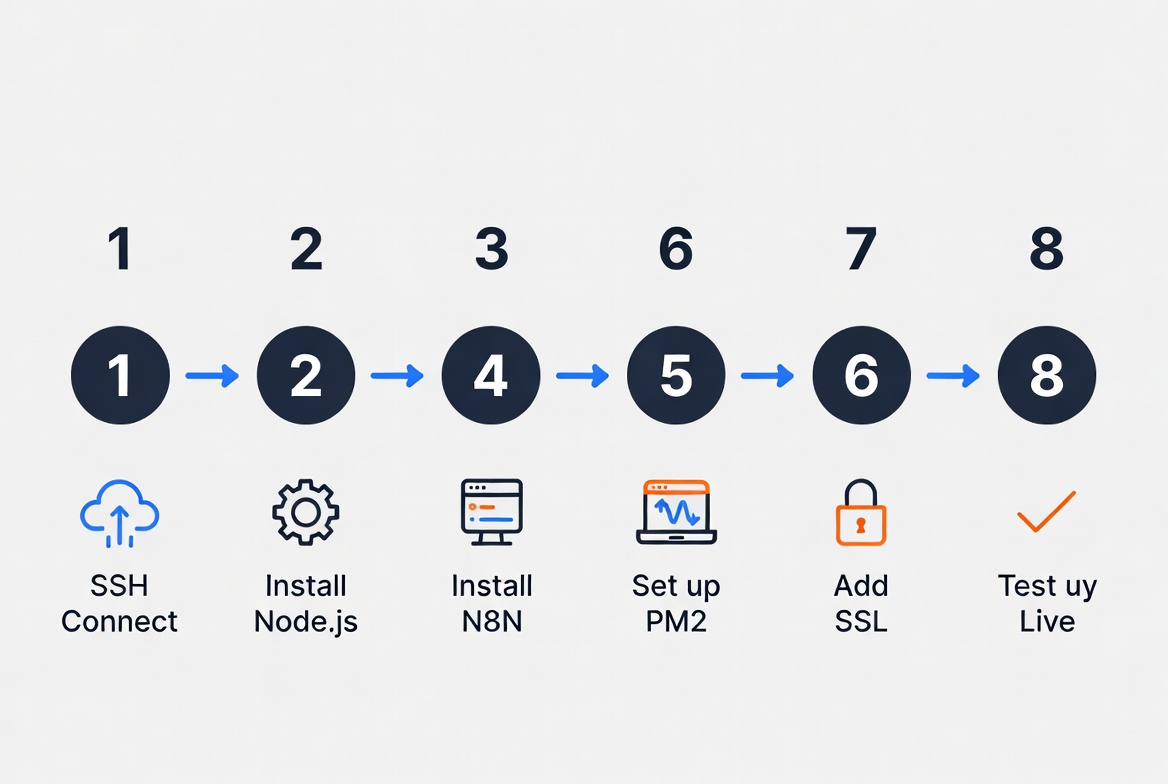
Self-hosting N8N on ScalaHosting gives you flat monthly pricing, zero per-execution fees, and complete ownership of your automation data. The 8-step setup process takes about 30 minutes on a fresh VPS, and the result is a production-ready N8N instance that runs 24/7 without you babysitting it.
I’ve run this exact setup for months. The performance is solid, the support is genuine, and the cost is predictable. If you’re building any kind of AI-powered automation stack — especially one that calls the Claude API — this is a reliable foundation.
🚀 Start Self-Hosting N8N on ScalaHosting Today
✅ Free SPanel | ✅ SShield AI Security | ✅ Free Daily Backups
✅ 30-Second Live Chat | ✅ Free SSL | ✅ Free Migration
Plans from $29.95/month · No hidden fees · Free migration for WordPress sites